Knowledge base
Designing a firm library that turns best work product into AI drafting intelligence
Overview
Legal AI drafting is only as good as its reference material. A firm's winning demand letters, formatting templates, and best work product are what separate generic AI output from drafts that match the firm's voice and structure. Without a reliable way to provide those references, every generated document requires heavy rework.
Supio is an AI-powered legal platform where I work as a design engineer. The Knowledge Base is the firm's centralized library: a place for administrators to upload, organize, and maintain the work product that Agentic Drafting references during document generation. I designed and built the full contribution experience, from upload flows to collection management to the entry points that connect Knowledge Base to the rest of the platform.
Visuals shown here are simplified representations of production systems.
System overview
The core problem was not building a document library. It was making contribution easy enough that firms actually populate the system, because an empty knowledge base produces generic output. The system had to reduce friction at every step: upload, organization, and discovery.
Problem space
Firms needed a centralized place to store their best work product so AI drafting could match their specific voice, structure, and formatting. The earlier version buried the Knowledge Base in a settings menu and treated it as configuration rather than a core product surface.
• No drag-and-drop upload; files had to be added one at a time from within a specific folder
• No folder upload, so bulk contribution from existing firm drives required repeated manual effort
• No list view or sorting, making it difficult to find or organize references at scale
• No connection between the drafting experience and the library, so contribution was a separate, forgettable step
From settings to surface
The earlier Knowledge Base lived in a settings menu. Uploading required navigating into a specific collection first, adding files individually, and hoping users remembered to come back. Firms that needed to onboard hundreds of documents had no efficient path to do so. The biggest customer request was folder upload: the ability to drag an entire directory of work product into the system at once.
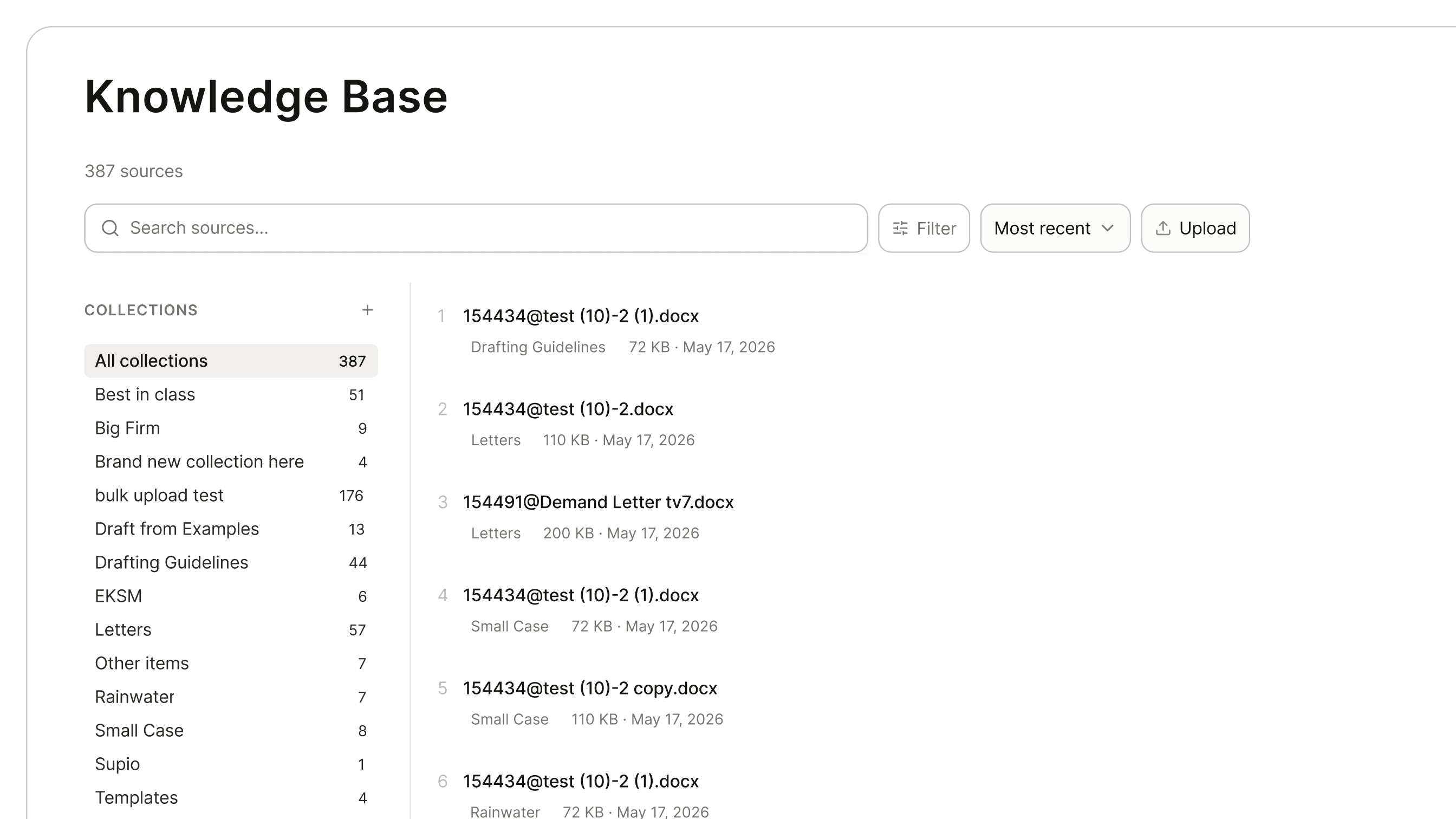
I redesigned Knowledge Base as a dedicated page on the main navigation, giving it the same prominence as cases and documents. The upload experience supports drag-and-drop with folder upload, shows real-time processing status per file, and lets users redirect uploads to a specific collection on completion. Autotagging classifies documents by type on ingestion, so collections stay organized without manual sorting.
The second design judgment was connecting Knowledge Base to the drafting experience itself. Users can contribute successful AI-generated documents directly from chat, creating a feedback loop: the system drafts from firm examples, the firm approves a draft, and that approved draft becomes a new reference. This closed the gap between using the system and improving it.
A user requests a demand letter matching their firm's best in class style. The system finds the reference in the Knowledge Base, drafts using it for voice, structure, and formatting.
Scope of role
I worked as a design engineer on this project. I designed and built the full frontend: the Knowledge Base page, drag-and-drop upload with folder support, collection management, and file organization views. I used Claude to crawl the frontend and backend codebase to help spec and ticket the autotagging endpoints, then partnered with engineering to ship the tagging integration.
Outcome
• 22% increase in Knowledge Base adoption after redesigning for visibility and ease of use
• Sales teams gained a clear demo story: upload is fast, and documents are immediately usable in drafting
• Dual entry points through dedicated nav page and chat contribution positioned Knowledge Base as a living system rather than a one-time setup step
This case study covers the systems-level design. Product walkthroughs and specific design decisions are available on request.