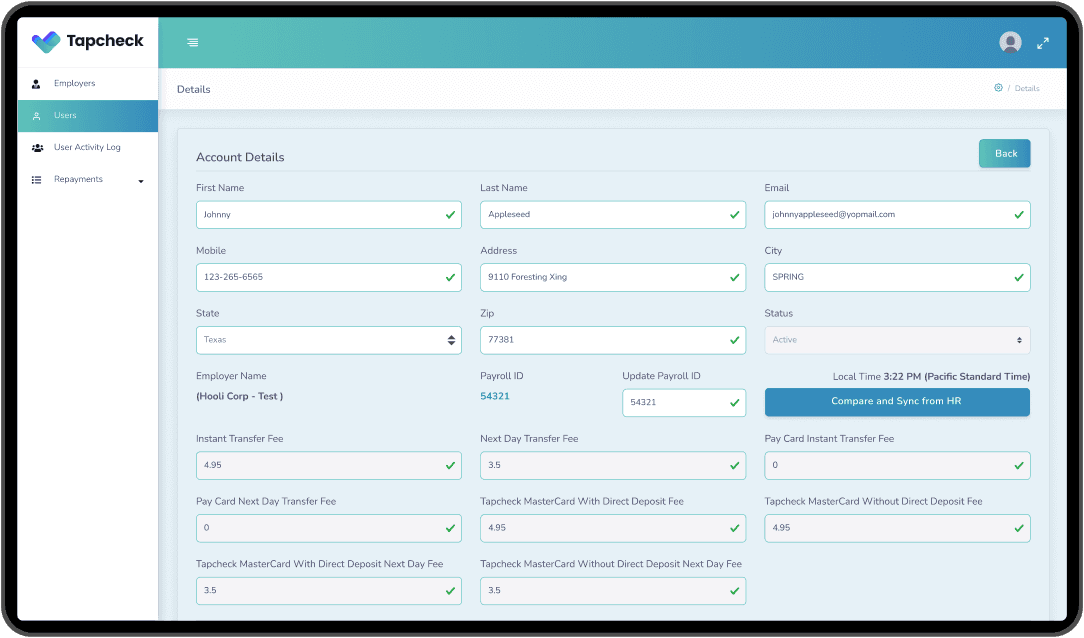
Admin compare and sync
Save time for CS with compare and sync
Tapcheck
Lead Product Designer
1 week design + 2 eng sprints
Employer & Admin
Context
Tapcheck’s internal CS agents used an admin tool to sync employee records between Admin and HR databases. The existing tool immediately overwrote data with no visibility into what was being changed.
I led end-to-end product design for a compare-and-sync tool. 1-week design sprint followed by 2 eng sprints, collaborating with CS Lead, 1 PM, 1 FE, 1 BE, and QA.
Problem
Agents could overwrite incorrect employee records with no visibility, risking data errors. The blind sync created stress and required time-consuming manual audits before every merge.
• No field-level diff—agents couldn’t see what would change before syncing
• System could pull the wrong user’s payroll data without warning
• Low confidence in the tool limited how many agents could use it
Approach
Designed a side-by-side comparison view with field-level diff highlighting so agents can see exactly what will change before syncing. Added multiple payroll ID match selection to prevent confusion and a single “Sync” CTA with confirmation.
Reused existing search components to meet sprint scope and engineering constraints. Validated with CS team observations and interviews.
Impact
• 5 hours/week saved in manual auditing for CS team
• Increased data security—reduction in overwriting errors
• More agents enabled to use the tool confidently
CS Lead James E: “Biggest win is the increased security it provides. Before, you would paste a payroll ID and click sync—the system would automatically overwrite the information. The biggest risk was pulling the incorrect user’s payroll data without us knowing. Now agents can see who they are updating. It also gives us an idea of what is changing—it shows the DOB on the account vs the DOB in payroll. This lets us confirm with the user which is correct. Finally, it let us have more confidence in agents using the tool, enabling more agents to resolve the issue.”
Gallery
7 images — coming soon